
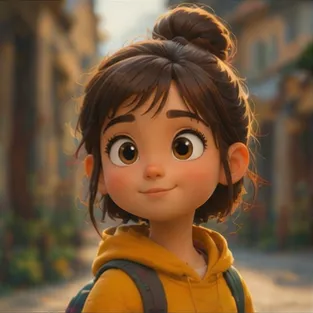
Faster Output
Move from a photo to a finished cartoon image faster than drawing it by hand.
Initializing dashboard...
Upload a photo and choose a cartoon style to create a polished cartoon image for profiles, gifts, or creative sharing.

An AI photo to cartoon tool turns a clear photo into a cartoon-style image with a clean, playful finish. It is useful for avatars, profile pictures, gifts, and creative projects.
Create cartoon-style images quickly with preset looks that keep the subject recognizable and fun.
Move from a photo to a finished cartoon image faster than drawing it by hand.
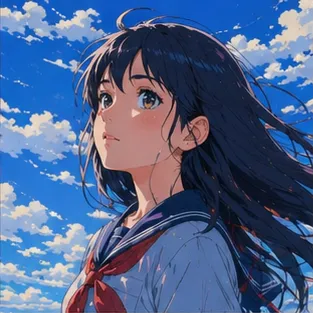
Switch between cartoon looks such as Ghibli, blocky, realistic art, classic, minimalist, and chibi.
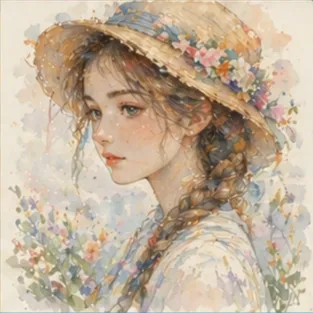
Create profile pictures, playful portraits, pet cartoons, and shareable social visuals from one clear input.
A flexible tool for turning photos into cartoon-style images.
Turn a clear portrait into a friendly cartoon avatar for social profiles or messaging apps.
Make cartoon visuals for feeds, stories, and thumbnails from portraits, pets, or lifestyle shots.
Create cartoon versions of people, pets, or scenes that feel personal and easy to share.
Upload a photo, pick a cartoon style, then generate the result.
Upload a clear photo that you want to cartoonize.
Pick a preset look such as Ghibli, cartoon, classic, minimalist, or chibi to guide the final art.
Generate the result, check the likeness or scene details, and try another style if you want a different feel.
"I use it for profile images when I want a playful look that still feels close to the original photo."
Creator
"The style presets make it easy to compare a few cartoon directions without starting over each time."
Designer
"I can make a quick cartoon image for class projects or announcements without spending time drawing it myself."
Teacher
"It works well for pet cartoons too, and the result still feels personal instead of like a generic filter."

Pet Owner
"I like being able to use a photo and still get something polished enough to share right away."
Hobbyist
"Trying the same input in a few styles helps me decide whether I want something simple, cute, or more painterly."
Content Editor
Upload a photo and turn it into a cartoon-style image.
Cartoonize PhotoCommon questions about turning photos into cartoon-style images.
Upload a clear photo and pick a style. The tool converts it into a cartoon-style image while keeping the result polished and easy to use.
Yes. Clear photos usually produce the best stylized results because the model has enough facial structure, pose, and detail to preserve.
Yes. The tool works well for portraits, pets, and other clear photos that need a cartoon-style result.
Clear source images usually work best because the model has more to preserve while it applies the new composition or style.
Paid-plan generations are intended for commercial workflows, but you should always review your plan terms before publishing final assets.
Yes. Switching styles can help nudge the result in a better direction.
Use a source file that clearly shows the subject and the details you want preserved. The cleaner the input, the easier it is to get a strong result.