
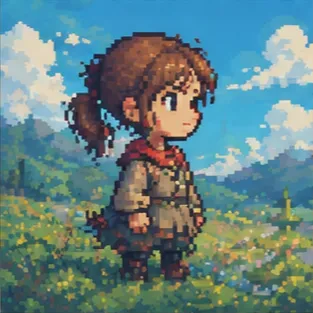
Faster Output
Move from game-art idea to pixel concept faster than placing every pixel manually.
Initializing dashboard...
Create pixel art with AI. Upload an image or type a prompt, choose a style, and generate authentic pixel art with clear blocks and a game-ready finish.

An AI pixel art generator turns images or prompts into pixel-art visuals with clear blocks, readable silhouettes, and a retro game look. It works well for avatars, sprites, icons, game assets, and nostalgic illustrations.
Create pixel-art scenes, sprites, and icons with prompt controls, image input, and focused style presets.
Move from game-art idea to pixel concept faster than placing every pixel manually.

Choose a preset pixel style for speed whether you start from an image or a prompt.

Create retro sprites, game icons, tile concepts, character scenes, and nostalgic pixel-art visuals.
A flexible tool for creating retro pixel art scenes, sprites, and icons.
Use AI Pixel Art Generator when you need characters, enemies, tiles, or items for game assets.
Use AI Pixel Art Generator when you want a playful pixel avatar or profile image.
Use AI Pixel Art Generator when you want retro visuals for social posts, mockups, or concept exploration.
Upload an image or describe your idea, choose a style, then generate the final pixel art.
Upload an image you want to convert or write the character, scene, or sprite idea you want as pixel art.

Pick Image or Prompt mode, then choose Classic, Cute, Fine, Isometric, Lego, or Retro Game style.
Create the result, check the pixel blocks and silhouette, then download the version that fits your project.
"I uploaded a photo, chose a style, and got a pixel image ready to use without it looking like a soft filter."

Social Media Content Creator
"It made it easy to test Classic, Cute, and Isometric looks quickly when I needed several game-art directions."

Game Developer
"It helped me see whether a character or item would still read clearly as a tiny sprite."

Graphic Designer
"The style choices make a difference. Isometric works for map concepts, while Cute and Retro Game are better for icons and characters."

Blogger
"I used it for a school project and the pixel art was clear enough to make my presentation stand out."

Student
"Uploading a rough reference and converting it into pixel style helped me keep the subject consistent across asset ideas."

Marketing Specialist
Describe a sprite, icon, or retro scene and generate pixel art with AI.
Generate Pixel ArtCommon questions about turning images or prompts into pixel art.
Choose Image or Prompt mode, pick a style, and the tool creates pixel art with visible blocks and a retro game feel.
Describe the character, object, scene, sprite, icon, or game asset you want. Keep it focused so the silhouette reads well as pixel art.
Yes. You can upload up to four images if you want the pixel art to follow an existing visual direction.
Yes. Styles like Classic, Cute, Fine, Isometric, Lego, and Retro Game help you control the pixel size, detail level, and overall look.
Paid-plan generations are intended for commercial workflows, but you should always review your plan terms before publishing final assets.
Keep the subject focused and choose the closest style. The prompt is tuned to create visible pixel blocks and avoid smooth illustrations that only look filtered.
Yes. It is often used for game assets, avatars, social posts, and other visuals that need a clear pixel-art look.