
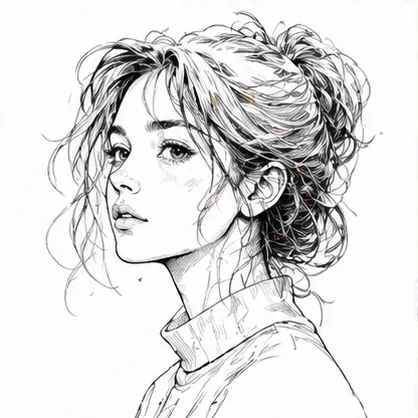
Faster Output
Move from tattoo idea to reference concept faster than sketching every variation manually.
Initializing dashboard...
Create tattoo concepts with AI. Use the AI tattoo generator for linework studies, symbolic art, placement ideas, and designs you can share with a tattoo artist.

An AI tattoo generator helps you turn a tattoo idea into a visual reference. Choose a preset style or upload a reference image, then preview a concept that is easier to discuss with a tattoo artist.
Explore tattoo references with clearer control over symbolism, linework, placement, and style direction.
Move from tattoo idea to reference concept faster than sketching every variation manually.
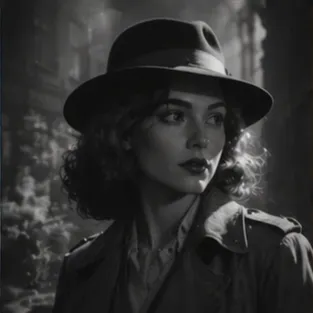
Choose a tattoo style preset for speed or upload a reference image when you already have a visual direction.

Create tattoo references, linework studies, symbolic art ideas, and placement concepts to discuss with an artist.
A flexible tool for creating tattoo concepts and visual references.
Use AI Tattoo Generator when you need quick concept studies for tattoo clients.
Use AI Tattoo Generator when you want to explore composition, symbols, or placement before drawing by hand.
Use AI Tattoo Generator when you want to turn a personal tattoo idea into a clear visual reference.
Describe the tattoo idea, choose a style or reference image, then generate a visual reference concept.
Write the symbol, subject, mood, meaning, or placement you want the tattoo to express.
Pick a tattoo style preset or upload a reference image if you already have a visual direction.
Create the result, check the linework and shape, then share it with a tattoo artist if it feels right.
"I used AI Tattoo Generator to turn a loose symbol idea into a few tattoo-style references I could compare."

First-Time Client
"It makes it easy to see whether a motif works better as blackwork, geometric, or minimal line art."

Graphic Designer
"It helped me explain the direction to my artist more clearly because I had a visual reference instead of only a description."

Tattoo Enthusiast
"The style presets are useful because the same idea feels very different as Japanese, watercolor, or sketch tattoo art."

Tattoo Studio Owner
"I use it for early motif exploration, then redraw the strongest version with proper placement and line weight."

Illustrator
"It is especially useful for narrowing down a theme before booking a consultation or asking for a custom tattoo design."

Marketing Lead
Describe a tattoo idea and generate a reference concept to refine with an artist.
Generate TattooCommon questions about creating tattoo concept art and linework ideas.
It turns your tattoo idea into a visual reference with the selected tattoo style or uploaded reference image, plus clean linework and a neutral presentation background.
Describe the motif, symbolism, placement, size, line weight, and mood. You do not need to repeat the style if you already selected one.
Yes. Switch to reference mode and upload an image when you already have a visual direction you want the tattoo to follow.
Yes. It is designed to help you explore ideas before discussing them with a tattoo artist or studio.
Paid-plan generations are intended for commercial workflows, but you should always review your plan terms before publishing final assets.
Keep the idea focused and avoid mixing too many symbols into one request. Clear direction usually leads to a more usable draft on the first pass.
Yes. It is often used for visuals that need to look polished quickly, especially when you want something you can refine and reuse.